"42" is an open-source flight simulation created by engineers at NASA's Goddard Space Flight Center. The SlugSat Mechanical team uses a modified version of 42 to run hardware-in-the-loop simulations of the Attitude Control System (ACS). Using the instructions below, 42 can be set up to run alongside the flat-sat or other standalone ACS test programs.
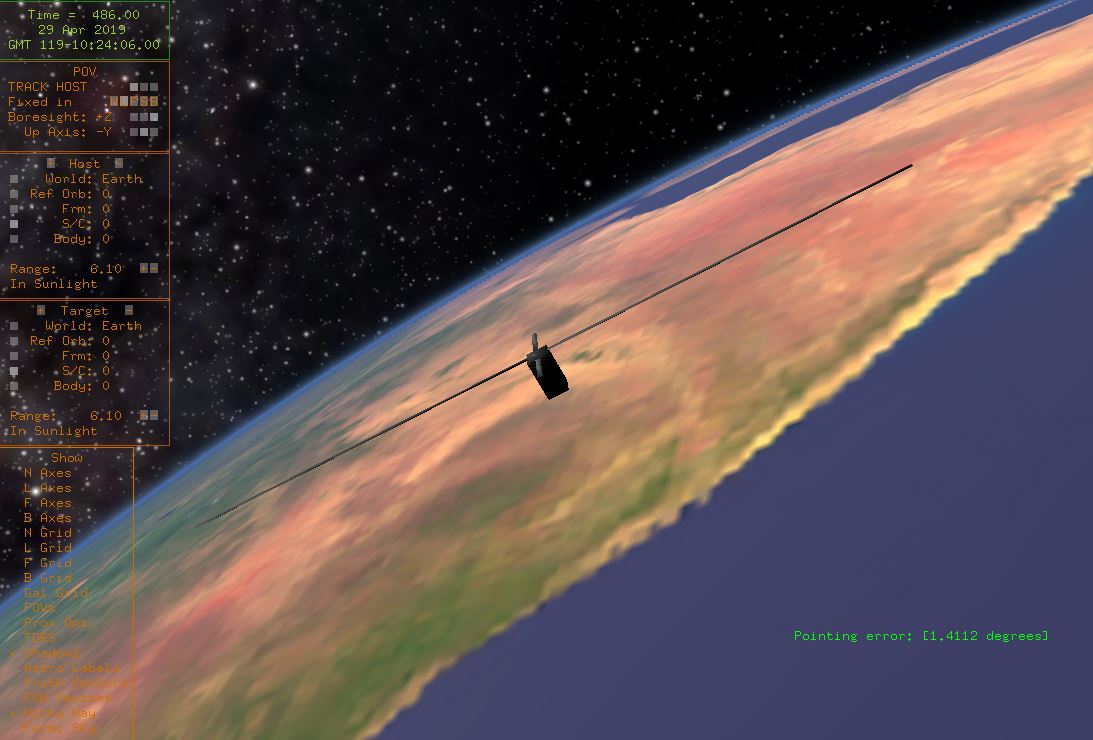
42 Setup
SlugSat’s customized version of 42 runs natively on an Ubuntu virtual machine. SlugSat's Team Drive contains a VM with both Mechanical team git repositories initialized and 42 and its dependencies preinstalled. To run the simulation, the user must download and run the VM, pull the latest version of the simulation code to the 42 source folder, and compile and run the simulation from the command line. The steps to do this are as follows:
- Download the virtual machine here, extract the zip, and start the VM using VirtualBox by opening "42 Simulation.vbox." Login info for the user account in the VM is in "login.txt."
In the VM, navigate to Desktop/42-source in a terminal and run the commands:
 $ git fetch --all
 $ git reset --hard origin/master
This will pull any changed files from SlugSat's 42 source code repository.
- To compile 42, use the commands:
 $ sudo make clean
 $ make
Run the simulation with the command:
$ sudo ./42
Note that superuser is only required to connect to the flat-sat over USB serial, but the simulation will not run without it.
If the flat-sat ACS board (or another STM32 board running a version of the ACS) is not connected, the simulation will run but will not apply any torque to the simulated craft. To control the craft, the simulation must be connected to the ACS software running on an STM32 board.
Connecting 42 to the ACS
SlugSat's customized 42 includes the ability to connect to and sync with an STM32 board running SlugSat’s ACS flight software. To run 42 in conjunction with the ACS:
- Set up the 42 simulation using steps 1-3 in the section above.
- Clone the Mechanical GitHub repository onto a Windows PC. Follow the instructions here <needs link>=""> to set up the software required to program STM32 Nucleo boards.
- Open a project in the Mechanical repository. The projects 42_Test, ACS_42Only, and ACS_FlatSat all interface with 42. Build the project and load it onto the microcontroller.
- Connect the microcontroller to the VM using the Devices menu in VirtualBox and reset the microcontroller.
- Run 42 (step 4 in the section above).
Each time 42 is restarted the microcontroller should also be reset to clear the current ACS state.
42 Configuration
The following files in the InOut folder can be edited to change the behavior of the simulation:
- Inp_Sim.txt is the configuration file for the overall simulation.
- SC_SlugSat.txt contains craft initial conditions (rotation and angular speed), physical characteristics (mass and inertia), sensor model configurations (sun sensors, magnetometer, and gyroscope), and actuator model configurations (reaction wheel inertia and torque rod saturation).
- Inertia is the only reaction wheel parameter in this file which affects SlugSat's model for motor dynamics. The other parameters are defined in 42fsw.c.
- Torque rod saturation can be set to anything above the actual saturation point of the torque rods. This will not affect the model of the torque rods.
- The file still includes sections for other unused hardware components (thrusters, star trackers, etc). These do not affect the behavior of the simulation.
- Orb_EOS.txt defines the orbit used by SlugSat. Keplerian elements can be input on lines 15-19. Alternatively, Keplerian elements in TLE form can be read from an external file by changing lines 13, 23, and 24.
- Inp_Cmd.txt is currently unused. The contents of this file affect what is printed on simulation startup but nothing else.
Output Files
On each new run 42 creates a folder beginning with 42run_. This folder is populated with files that log pointing accuracy, used and generated power, reaction wheel speed, and state transitions during current run of 42.
Source Files
All customized files in SlugSat's version of 42 are stored in the Simulation42 GitHub repository. Other 42 source files are unchanged from the base 42 source (which can be downloaded here).
- 42fsw.c contains the function SlugSatFSW, which has the majority of SlugSat's custom code. This is where data is synced with the flat-sat. The function also includes custom actuator models and handles data processing, terimal display, and file output.
- SerialCommunication.c/h & PacketProtocol.c/h are custom C libraries used to communicate with the flat-sat.